Skip to content
All apps

♪ Piano learning, reimagined

Piamo app iconPiamo

Piamo: Learn piano with songs you love.

Piamo makes learning piano feel like play. Follow a colorful retro trail, practice real notes on the on-screen keyboard and play real songs from your very first minute. No piano needed.

Get launch news Coming soon to the App Store
  • 3-day free trial
  • 50 songs
  • No account · No ads

The name says it all

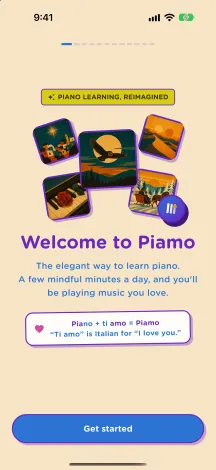
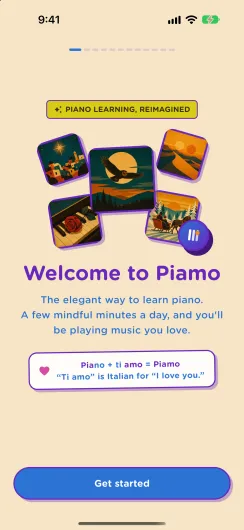
Piano + “ti amo” = Piamo

“Ti amo” is Italian for “I love you”. Piamo is made for people who want to fall in love with music — pick up your iPhone and start playing.

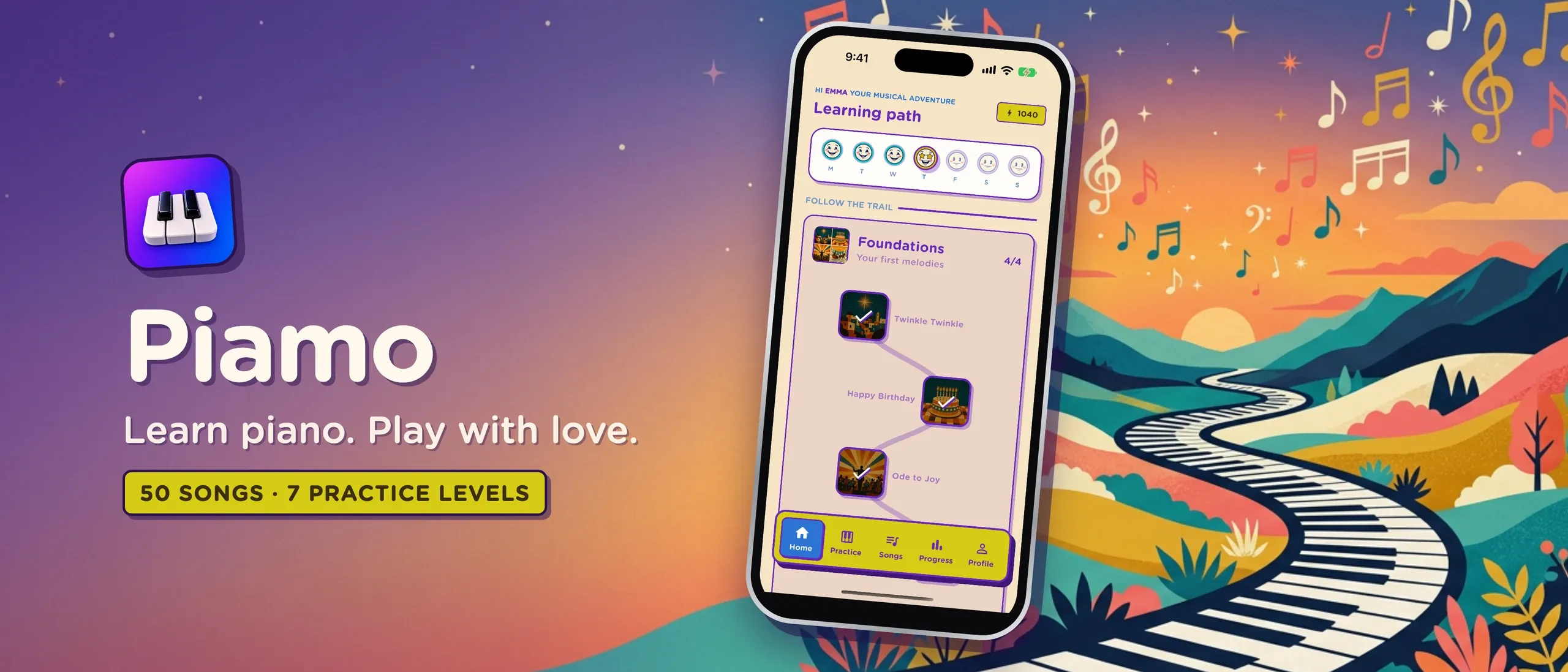
piamo — 50 songs · 7 practice levels
Piamo: Learn piano. Play with love. A retro trail of piano keys winds through colorful hills beside the app’s learning path.

Inside Piamo

Piano lessons that feel like a game.

01

Learn song by song

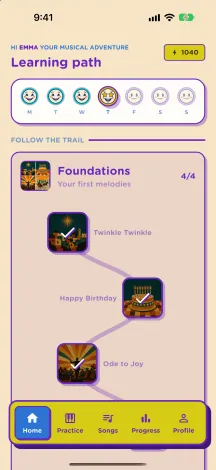
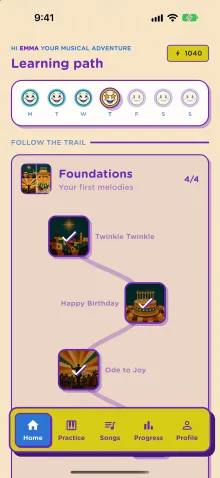
A guided learning path that takes you from your first notes to songs you’re proud of.

  • Earn a star on a song to unlock the next one, and go back for all three
  • Notes fall toward the keyboard, so you always know what to play next
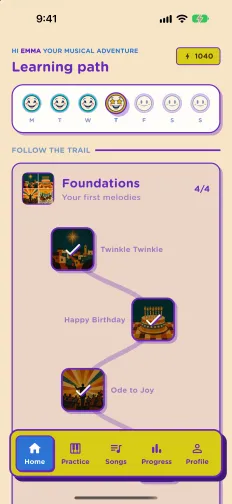
Piamo learning path: a trail from Twinkle Twinkle to Happy Birthday and Ode to Joy
02

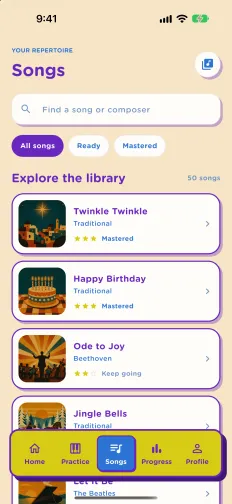
50 songs you’ll love

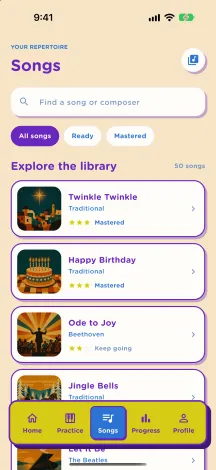
Classical favorites, film and game themes, pop, folk and holiday classics.

  • Classical favorites like Für Elise, Canon in D and Moonlight Sonata
  • Film and game themes, pop, folk and holiday classics
  • From Twinkle Twinkle to Star Wars
  • ♪ Für Elise
  • ♪ Canon in D
  • ♪ Moonlight Sonata
  • ♪ Twinkle Twinkle
  • ♪ Ode to Joy
  • ♪ Happy Birthday
  • ♪ Jingle Bells
  • ♪ Star Wars
Piamo song library with Twinkle Twinkle, Happy Birthday, Ode to Joy and Jingle Bells
03

Practice that feels like play

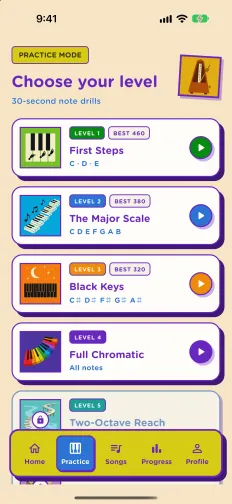
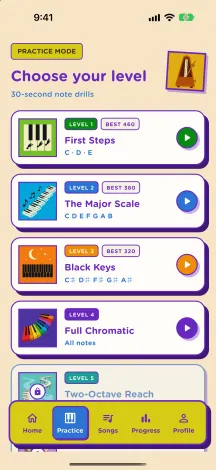
Seven practice levels of quick 30-second note drills.

  • Start with C, D and E, then move on to the full scale, black keys, two octaves and chords
  • Build combos, beat your best score and unlock the next level
Piamo practice mode with First Steps, The Major Scale, Black Keys and Full Chromatic levels
04

Watch your skills grow

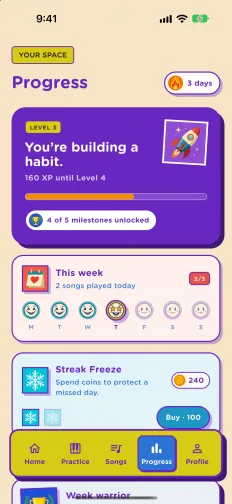
Small daily wins that add up to real progress.

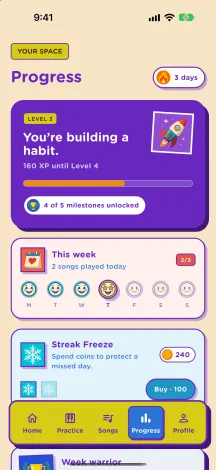
  • Daily streaks with Streak Freezes to protect a missed day
  • XP and levels that grow as you play
  • Retro achievement badges to collect
Piamo progress screen with level, weekly streak and Streak Freeze

Play mode

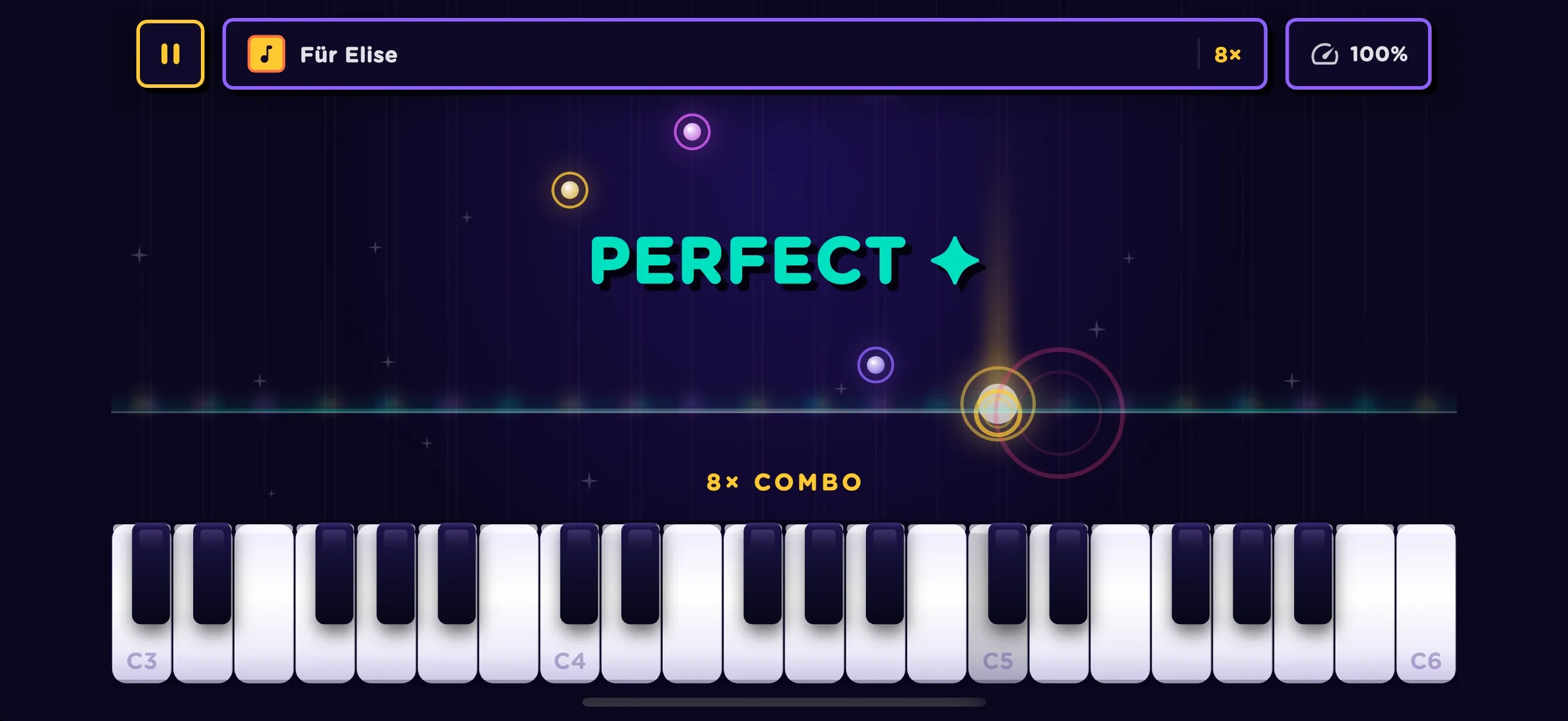
Notes fall.
You play.

Notes fall toward the keyboard, so you always know what to play next. Hit them on time, build combos and chase a perfect run through Für Elise.

Piamo play mode: notes fall toward the on-screen keyboard during Für Elise with a PERFECT rating and 8× combo

Private by design

Just you and the music.

Read the privacy policy
  • No accountOpen the app and start playing.
  • No adsJust you and the music.
  • No trackingNo analytics or ad identifiers.
  • On your deviceYour progress stays on your iPhone.

Take the tour

Every screen, made to play.

Piamo welcome screen
WelcomePiano + “ti amo” = Piamo.
Piamo learning path screen
Learning pathFollow the trail, song by song.
Piamo songs library screen
Song library50 songs, from classical to film.
Piamo practice level picker
Practice levelsSeven levels of 30-second drills.
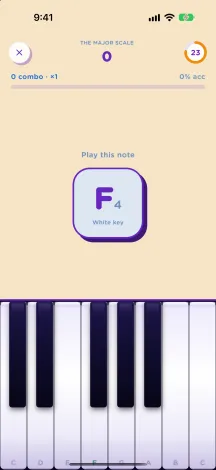
Piamo practice round asking to play F4
Note drillsPlay the note, build the combo.
Piamo progress screen
ProgressStreaks, XP and badges.
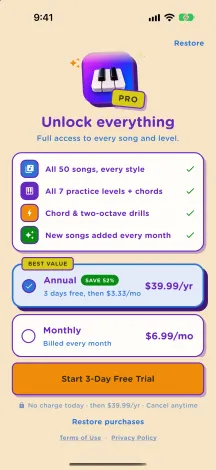
Piamo Pro subscription screen
Piamo ProEvery song and every level.

Piamo Pro

Unlock every song and every level.

Piamo requires a Piamo Pro subscription, which unlocks every song, every practice level and new songs as they are added.

Annual

Best value

Start with a 3-day free trial (eligible new subscribers), then billed yearly.

Monthly

Billed every month. Cancel anytime.

  • • Prices are shown in the app in your local currency before you buy.
  • • Payment is charged to your Apple ID when you confirm the purchase, or when the free trial ends.
  • • Subscriptions renew automatically unless cancelled at least 24 hours before the end of the current period.
  • • Manage or cancel anytime in Settings → your name → Subscriptions.
  • • See the Terms of Use and Privacy Policy.

Fall in love with music.

Piamo is coming soon to the App Store. Leave us a note and we’ll tell you the moment it lands.

FAQ

Questions about Piamo

Questions or ideas?

We’d love to hear from you.

[email protected]

Do I need a piano or keyboard?

No piano needed. Everything happens on Piamo’s on-screen keyboard, so you can start playing real songs on your iPhone from your very first minute.

Is Piamo good for complete beginners?

Yes. The guided learning path starts with your first notes, and notes fall toward the keyboard so you always know what to play next. Practice levels start with C, D and E before moving on to the full scale, black keys, two octaves and chords.

How much does Piamo cost? Is there a free trial?

Piamo requires a Piamo Pro subscription, which unlocks every song, every practice level and new songs as they are added. Choose an annual plan with a 3-day free trial for eligible new subscribers, or a monthly plan. Prices are shown in the app in your local currency.

How do I cancel my subscription?

Subscriptions renew automatically unless cancelled at least 24 hours before the end of the current period. You can manage or cancel anytime in Settings → your name → Subscriptions on your iPhone.

Does Piamo need an account? What about my data?

No account, no ads and no tracking. Your progress is saved on your device. See the Piamo Privacy Policy for details.

What does the name Piamo mean?

Piano + “ti amo”, Italian for “I love you”. Piamo is made for people who want to fall in love with music.

How do I get help or share an idea?

Write to us at [email protected] — we read every message.